Duplex Voice AI Immediate Tool Reflection ACP Harness Bridge OPFS & Directory Handles Sandboxed Execution

Voicebox

The voice-first coding environment. Speak naturally with an AI coding model that reads your project, reasons aloud, and modifies code files in real time—with all edits appearing instantly in your browser as they arrive.

Voicebox Room — Spoken coding workspace with live waveform and immediate file reflection

Voicebox Room: Spoken coding workspace with live waveform, microphone controls, and instant file reflection.

Voicebox Environment Settings — Runtime configuration and sandbox options

Environment Configuration: Project root declaration, multi-folder handle status, and sandbox fences.

Talk and Code Without Context Switching

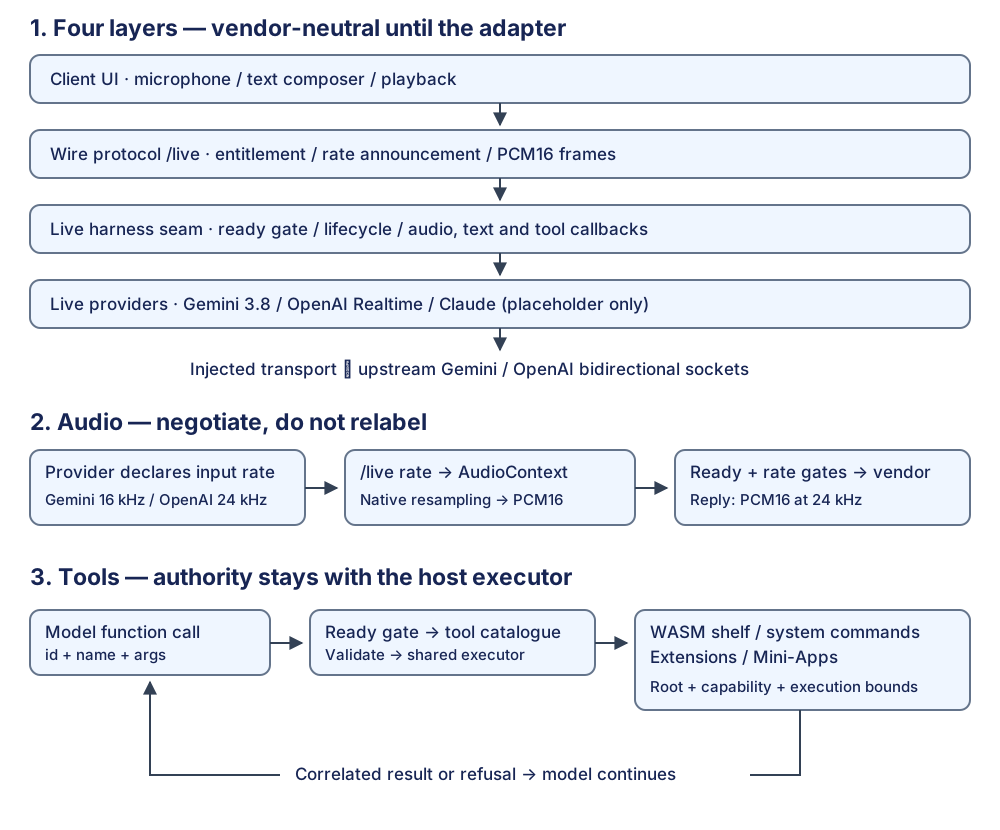
Voicebox bridges low-latency duplex voice audio with real local coding harnesses and native file system storage.

🎙️ Real-Time Duplex Audio

Stream raw PCM audio from your microphone to multimodal speech models (Gemini Live / OpenAI Realtime) with natural interruption and smooth model audio playback.

⚡ Immediate Tool Reflection

When the model calls file tools (write, edit, patch), modified files render instantly in the browser's file explorer. No reloads or manual refreshing required.

🔌 ACP Coding Harness Bridge

Speaks the Agent Client Protocol (ACP) over stdio to communicate directly with local coding agents (pi, claude) running on your machine.

📁 Dual File System Architecture

Work in standalone browser-owned OPFS (Origin Private File System) without granting host permissions, or open real local machine directories with IndexedDB reload persistence.

🛡️ Hermetic Sandbox Fencing

Fenced execution runs inside Bubblewrap containers and transient systemd units with strict CPU, memory, and timeout bounds (RuntimeMaxSec=1800).

🔍 Live Debug Timeline

Opt-in ?debug=1 panel surfaces real-time audio state machines, ACP JSON-RPC traces, tool invocations, and redacted exportable session logs.

Architectural Documentation Library

Voicebox is built on rigorous architectural specifications. Read the underlying documentation in the repository:

Quickstart & Local Setup

Run Voicebox locally under Node 22+ with audio access enabled.

1

Clone and install dependencies

Voicebox requires a modern Node.js runtime and npm:

git clone https://github.com/PaulKinlan/voicebox.git
cd voicebox
npm install
2

Verify system environment

Run the built-in doctor command to check API keys and dependencies:

npm run doctor
3

Start the development server

Starts the Vite frontend on http://127.0.0.1:5173/ and the backend API on http://127.0.0.1:8787/:

npm run dev

Open http://127.0.0.1:5173/ in Chrome. A secure localhost origin is required to grant microphone access.